

Filaflex print profiles
Generate your profile in 3 steps
Pick your printer, nozzle and diameter. You download a profile tuned by Recreus, ready to import into your slicer.
How to import the profile
Pick your slicer and follow the steps.
- Generate and download your profile above: printer, nozzle and diameter. You get a ZIP file.
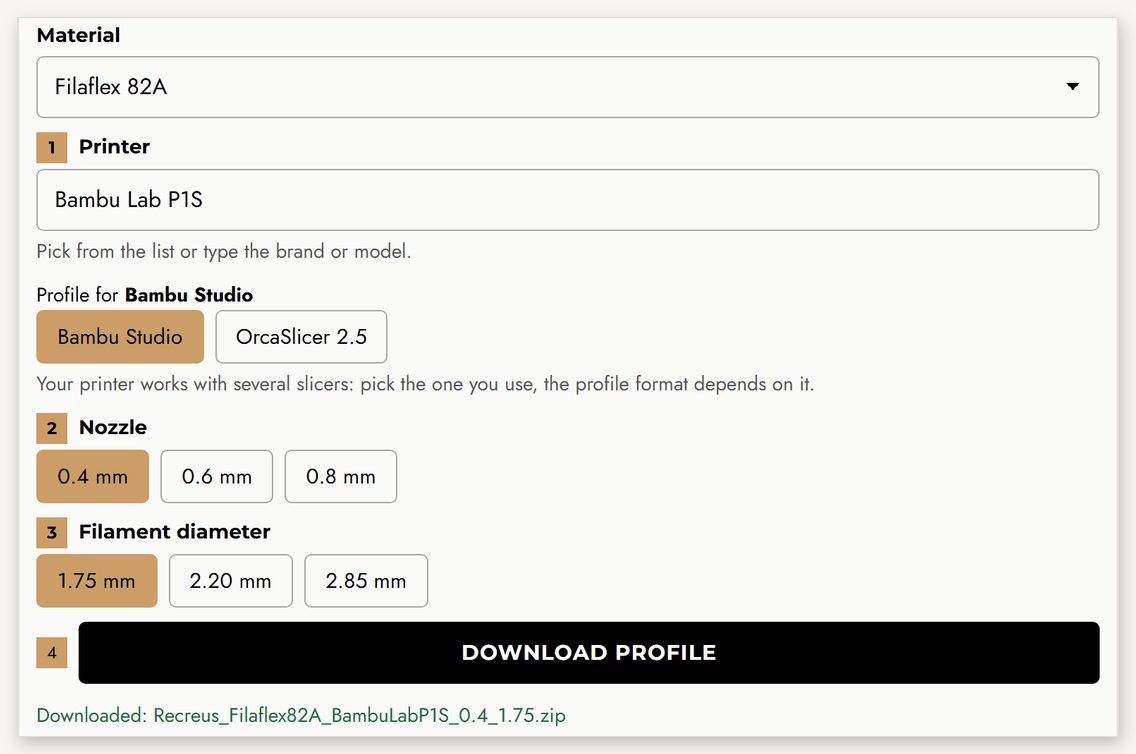
- Open Bambu Studio and go to File → Import → Import Configs… Select the downloaded ZIP (no need to unzip it) and click Open. You will see the message “2 configs imported”.
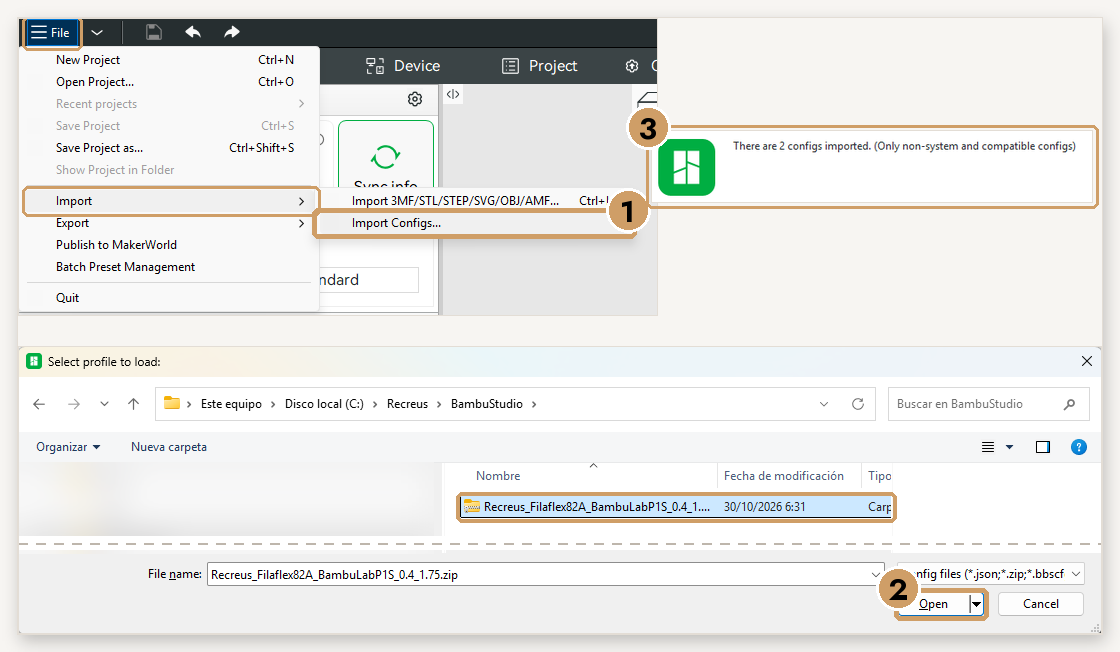
- Select your printer and, in Filament and Process, the Recreus profiles. Ready to slice!
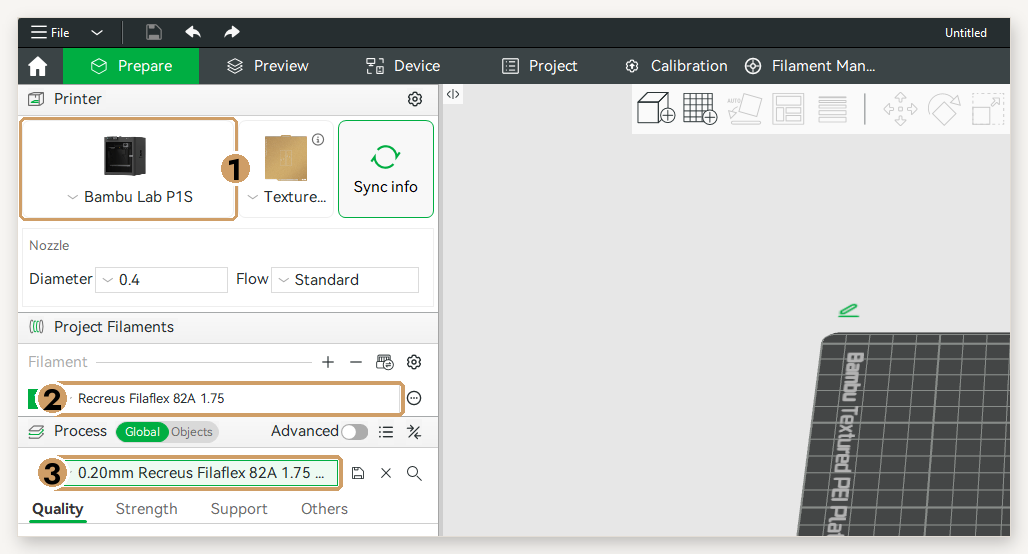
- Generate and download your profile above: printer, nozzle and diameter. You get a ZIP file.
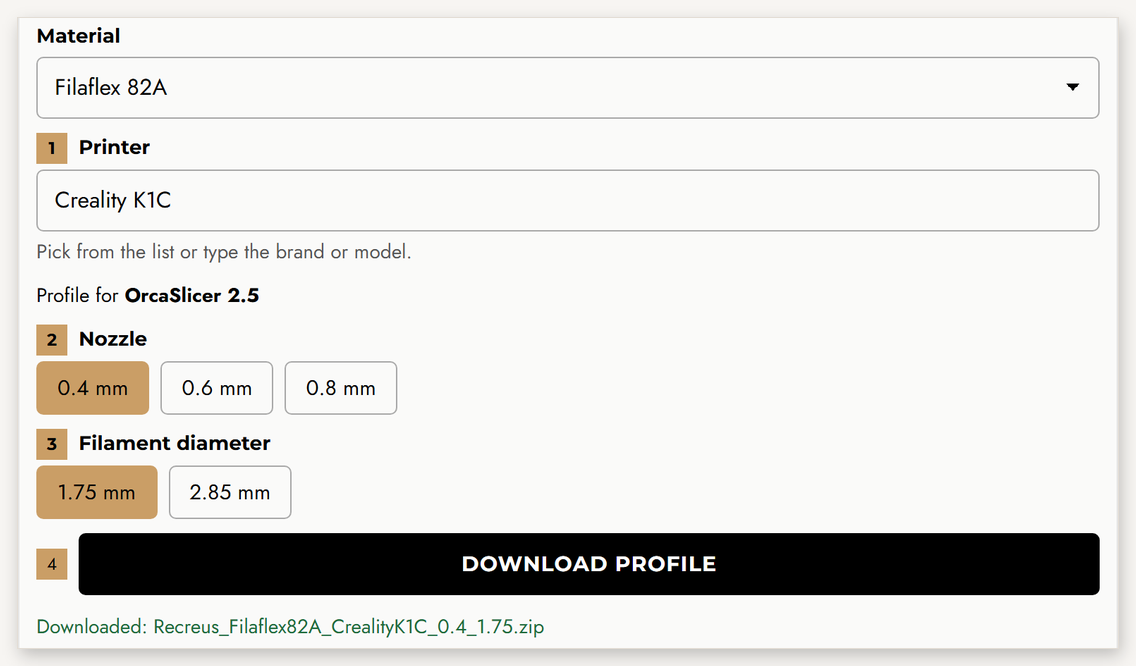
- Open OrcaSlicer or Snapmaker Orca and go to File → Import → Import Configs… (not “Import ZIP Archive”). Select the downloaded ZIP and click Open. If your version does not accept it, unzip it and select the .json files.
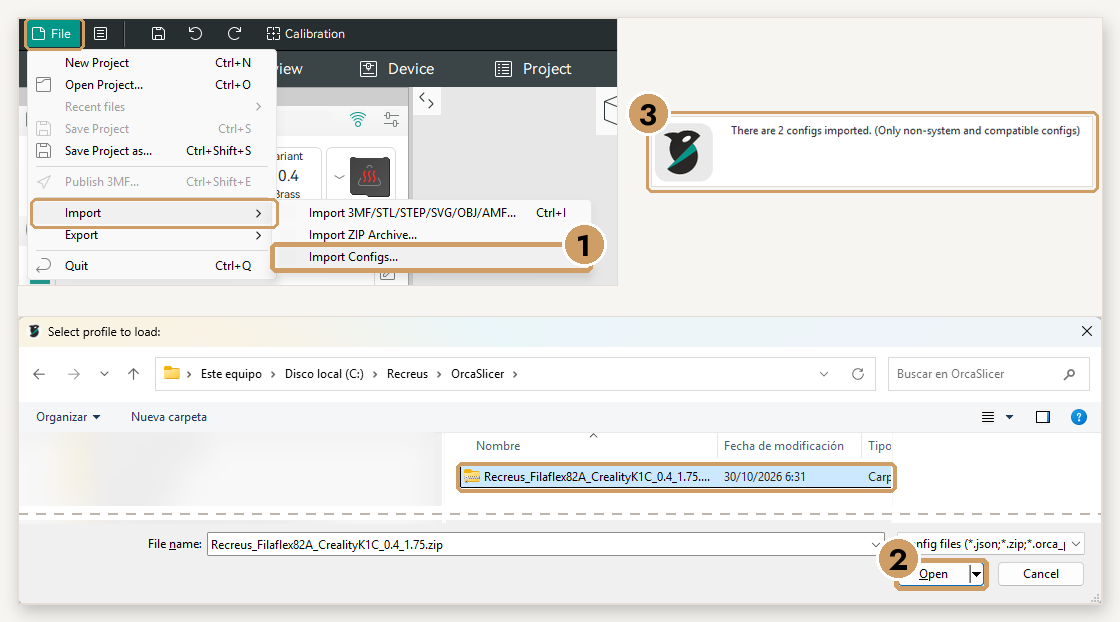
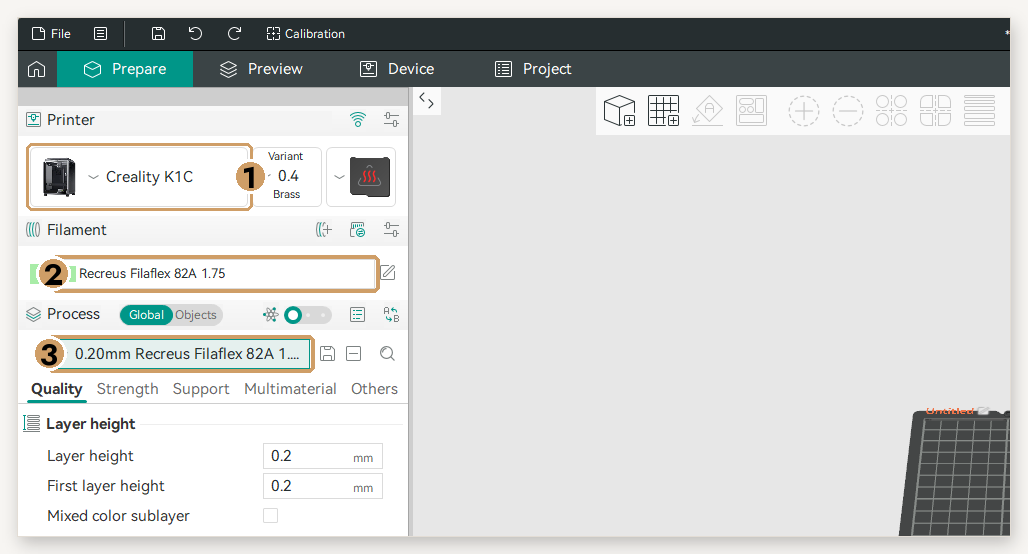
- Select your printer and, in Filament and Process, the Recreus profiles. On printers with several toolheads (Snapmaker U1), assign the filament to the toolhead where it is loaded.
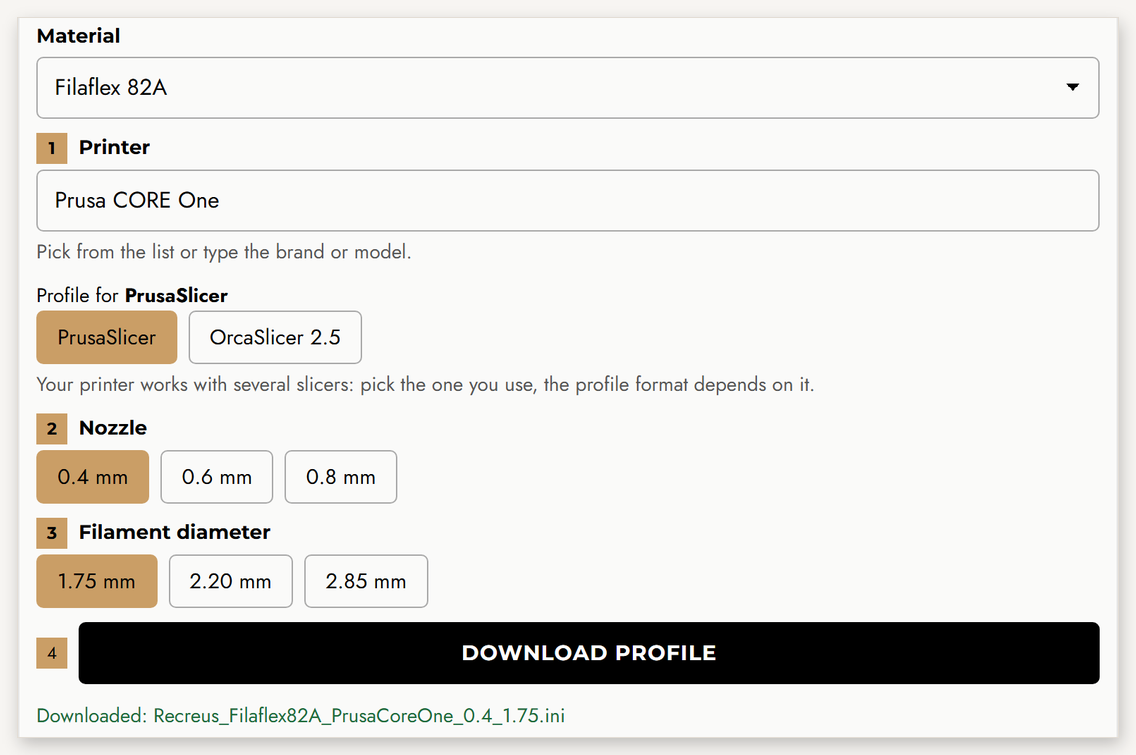
- Generate and download your profile above. For PrusaSlicer you get a single .ini file.
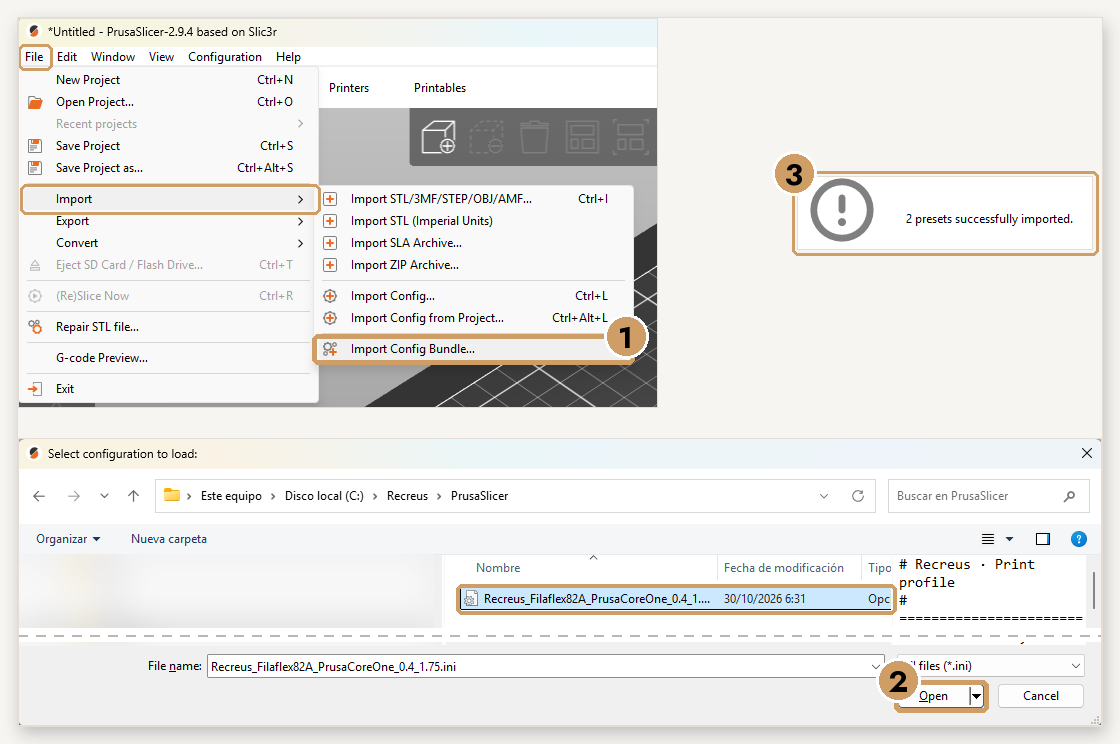
- Open PrusaSlicer, go to File → Import → Import Config Bundle… and pick the .ini file. You will see the message “2 presets successfully imported”.
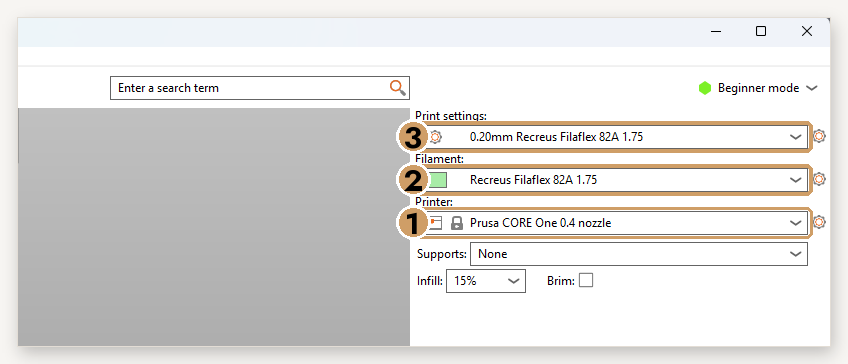
- In Printer, select your Prusa with the right nozzle and, in Filament and Print Settings, the Recreus profiles.
FAQ
What is a preliminary profile?
A profile derived from an already validated one that we are still testing for that combination. It works as a starting point; we refine it in the next versions.
What do I need for 2.20 mm?
The Filaflex 2.20 hotend for your printer. The 2.20 option only appears for printers with the 2.20 system validated by Recreus.
I can’t find my printer
The generator includes nearly 500 printers from over 60 brands, with profiles for Bambu Studio, PrusaSlicer, OrcaSlicer and Snapmaker Orca. If yours is missing, write to us and we will add it.
Every profile is a starting point tuned by Recreus. Depending on your part’s geometry you may need to adjust speed, retraction or cooling.