


PP3D
€39,91
Couldn't load pickup availability


PP3D
Regular price
€39,91 EUR
Regular price
€39,91 EUR
Sale price
€39,91 EUR
Unit price
per

PP3D
€39,91
PP3D Polypropylene, developed in collaboration with Repsol, represents a breakthrough in 3D printing materials. This high-quality thermoplastic polymer benefits from Repsol's extensive expertise in polyolefin manufacturing, delivering exceptional fatigue resistance, high toughness, and low friction coefficient. Each spool comes with a specialized adhesion primer that enables strong bed adhesion at just 40°C on glass surfaces, effectively eliminating warping issues.
What sets PP3D apart is its injection-molding-like finish that minimizes visible layer lines, resulting in professional-grade parts with exceptional surface quality. The material is non-toxic, autoclavable, and food-safe, making it perfect for end-use applications. Its outstanding chemical resistance and mechanical properties make it ideal for functional prototypes and industrial components that require reliability and durability.
⚠️ Important Shipping Notice for International Orders (Outside Spain): Due to air transport restrictions and customs regulations, the adhesive/primer included with our PP3D filament will not be shipped with orders sent by air outside of Spain — this includes destinations such as the USA, Canada, Asia, and other non-EU countries. We have encountered issues in the past with customs clearance for this type of chemical product, and to avoid delays or returns, we are unable to include it in international air shipments. If you require the primer or have any questions about alternative solutions, please contact us in advance through our contact form. We’ll be happy to assist you.
Key Features
- Superior Finish: Injection-molding-like quality Pro-Grade
- Enhanced Adhesion: Includes specialized primer
- Wide Resistance: Chemical, thermal, and mechanical
- Food Safe: Suitable for food contact applications
- Versatile Use: Autoclavable and low friction
Professional Applications
- Fluid Containers: Bottles and liquid-tight enclosures
- Industrial Parts: High electrical resistance components
- Chemical Storage: Acid and solvent resistant containers
- Mechanical Parts: Low friction and heat resistant components
- Food Industry: Food-safe containers and tools
Product Videos
PP3D Printing Guide
PP3D Applications
PP3D
TypePPMinimum drying50 °C · 4-6 h
Before you print
- Dry it: 50 °C · 4-6 h. Moisture causes most problems.
- Start from the downloaded profile and use the build plate your slicer recommends.
Good to know
- Polypropylene: light, chemically resistant and fatigue resistant. Ideal for living hinges and durable parts.
- It does not stick to standard beds: apply PP3D Primer on clean glass (first layer at 40 °C) and remove the part while the bed is hot (around 85 °C).
- Minimal cooling and a draft-free environment reduce warping.
Temperatures, speeds, retraction, bed and fan depend on your printer and nozzle: they come already tuned in your profile.
Recreus exclusive · Free
Download your print profile
Tuned by Recreus for your printer, nozzle and diameter. Three steps and it is ready to import into your slicer.
- Bambu Studio
- PrusaSlicer
- OrcaSlicer
- Snapmaker Orca
How to import the profile
Pick your slicer and follow the steps.
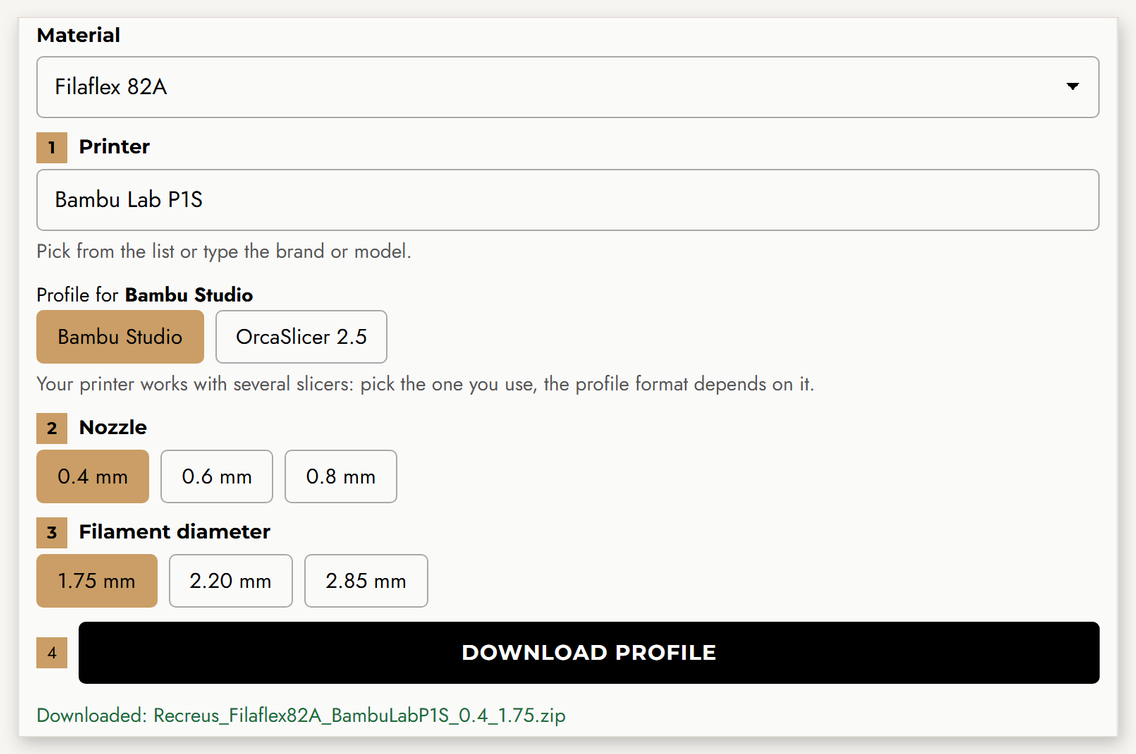
- Generate and download your profile above: printer, nozzle and diameter. You get a ZIP file.
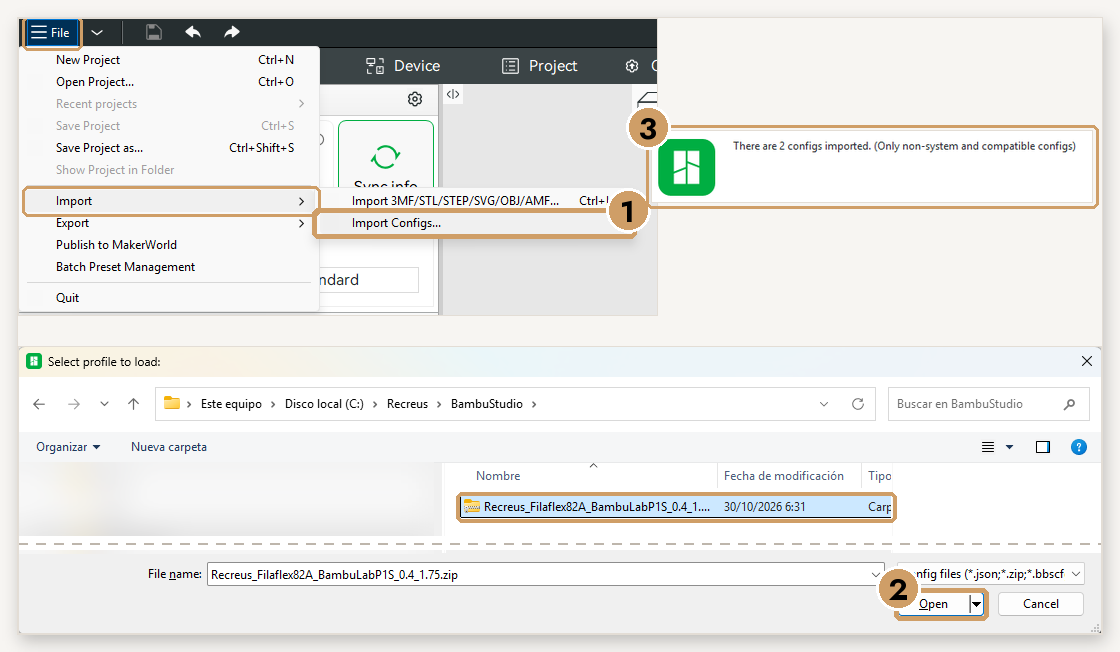
- Open Bambu Studio and go to File → Import → Import Configs… Select the downloaded ZIP (no need to unzip it) and click Open. You will see the message “2 configs imported”.
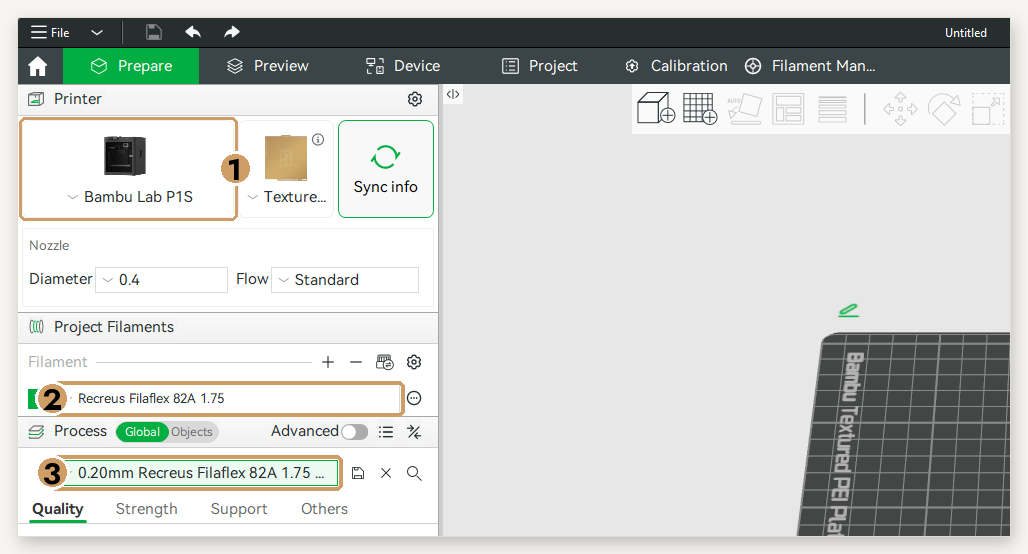
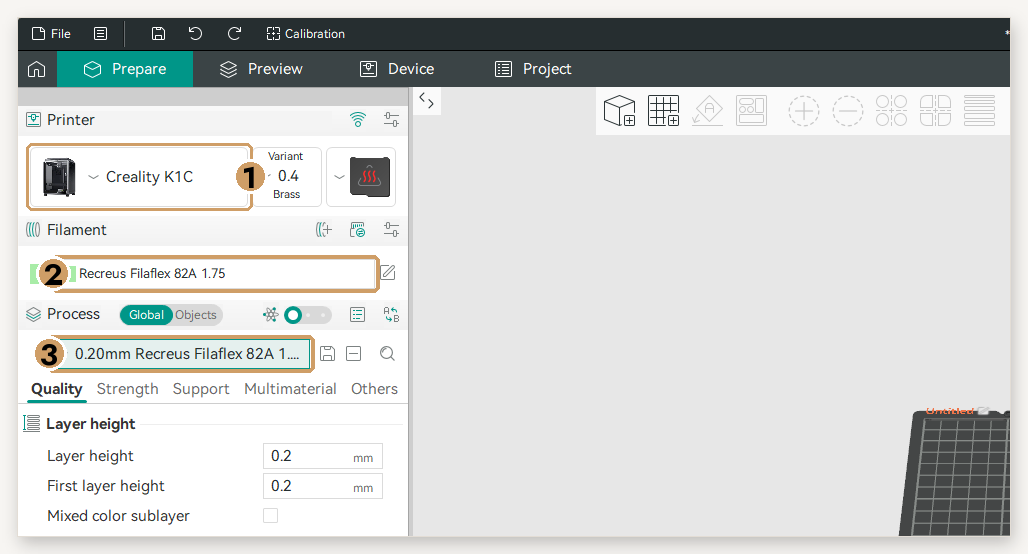
- Select your printer and, in Filament and Process, the Recreus profiles. Ready to slice!
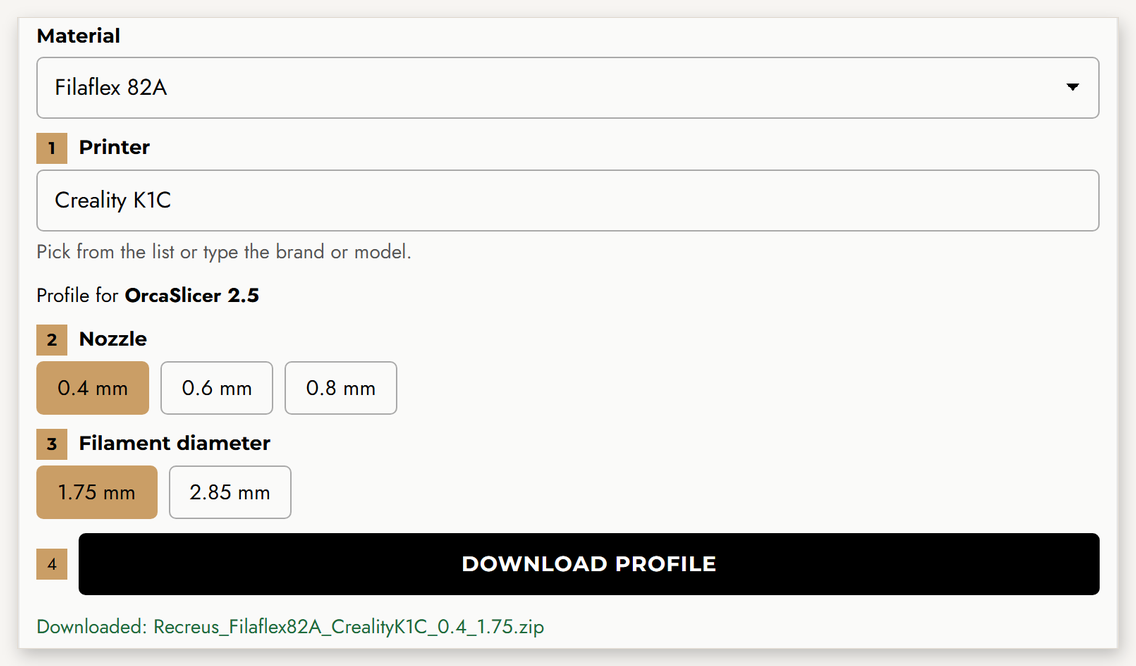
- Generate and download your profile above: printer, nozzle and diameter. You get a ZIP file.
- Open OrcaSlicer or Snapmaker Orca and go to File → Import → Import Configs… (not “Import ZIP Archive”). Select the downloaded ZIP and click Open. If your version does not accept it, unzip it and select the .json files.
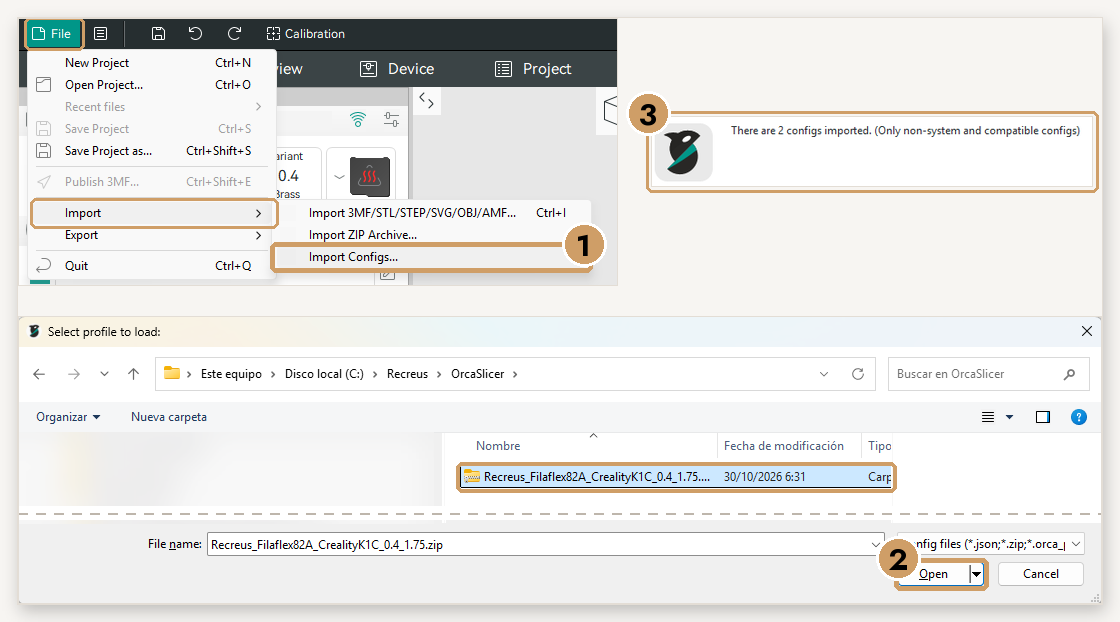
- Select your printer and, in Filament and Process, the Recreus profiles. On printers with several toolheads (Snapmaker U1), assign the filament to the toolhead where it is loaded.
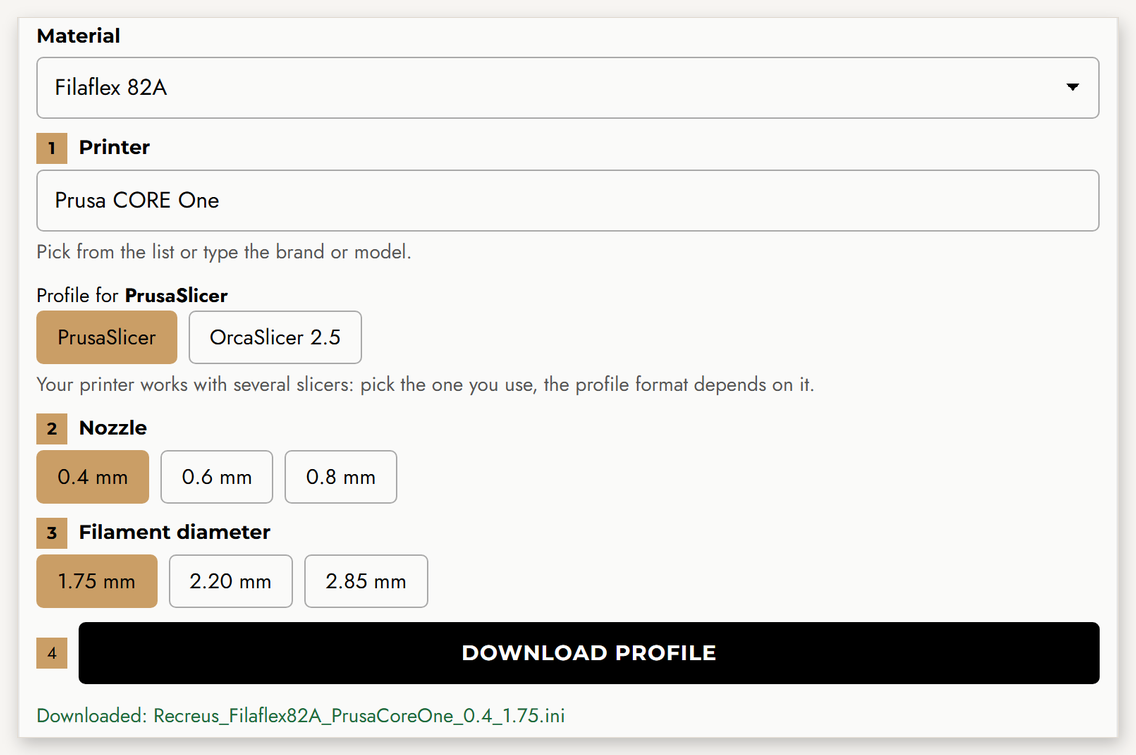
- Generate and download your profile above. For PrusaSlicer you get a single .ini file.
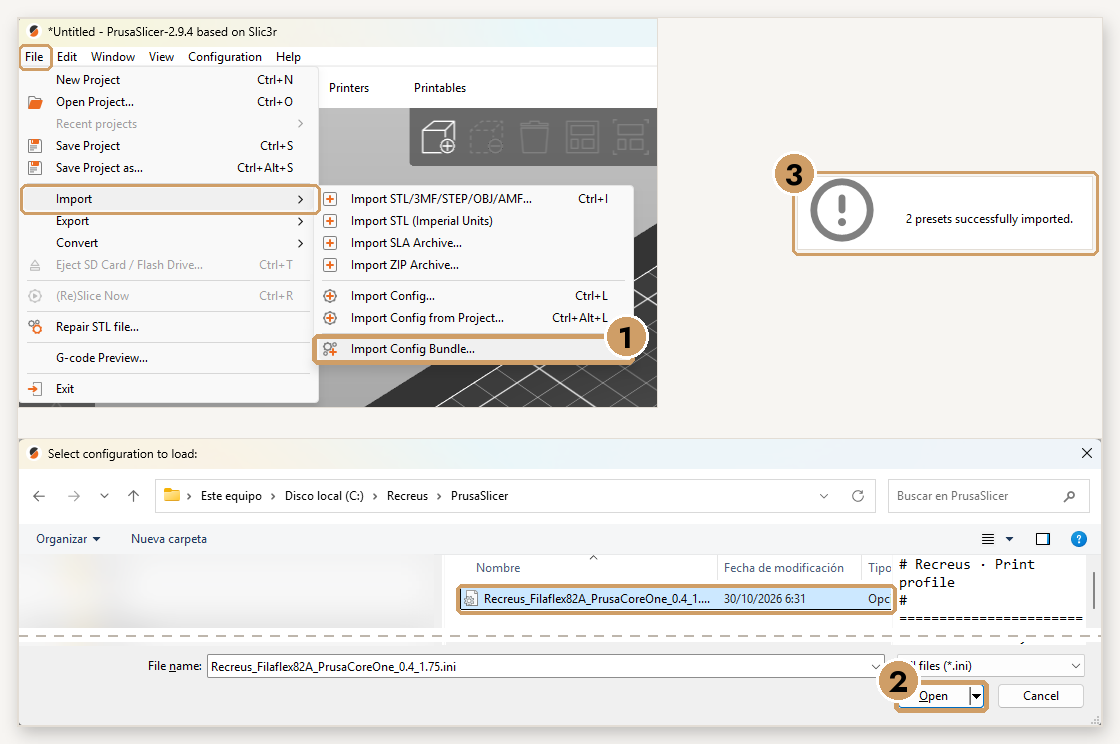
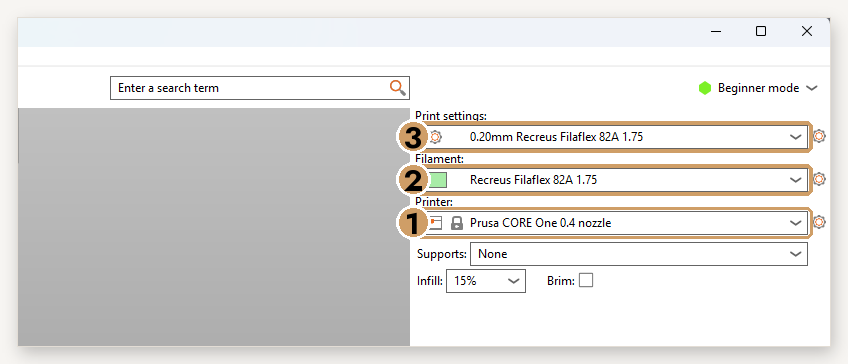
- Open PrusaSlicer, go to File → Import → Import Config Bundle… and pick the .ini file. You will see the message “2 presets successfully imported”.
- In Printer, select your Prusa with the right nozzle and, in Filament and Print Settings, the Recreus profiles.
Related Products
Latest Posts
-
 Designer Chiara Ravaioli redefines 3D printing with her Jali Bag using Filaflex 95 Foamy—soft, elegant, and unexpectedly tactile. A must-read story on flexible innovation.
-
 Discover how G-Tac leverages Filaflex for flexible 3D printed solutions in defense, industry, and food sectors—innovating with versatile, high-performance materials.
-
 The Perfect Flexibility for Custom Orthopedics 3D printing has revolutionized the field of medicine and orthopedics, offering innovative and personalized solutions for a wide range of medical needs. In this...


